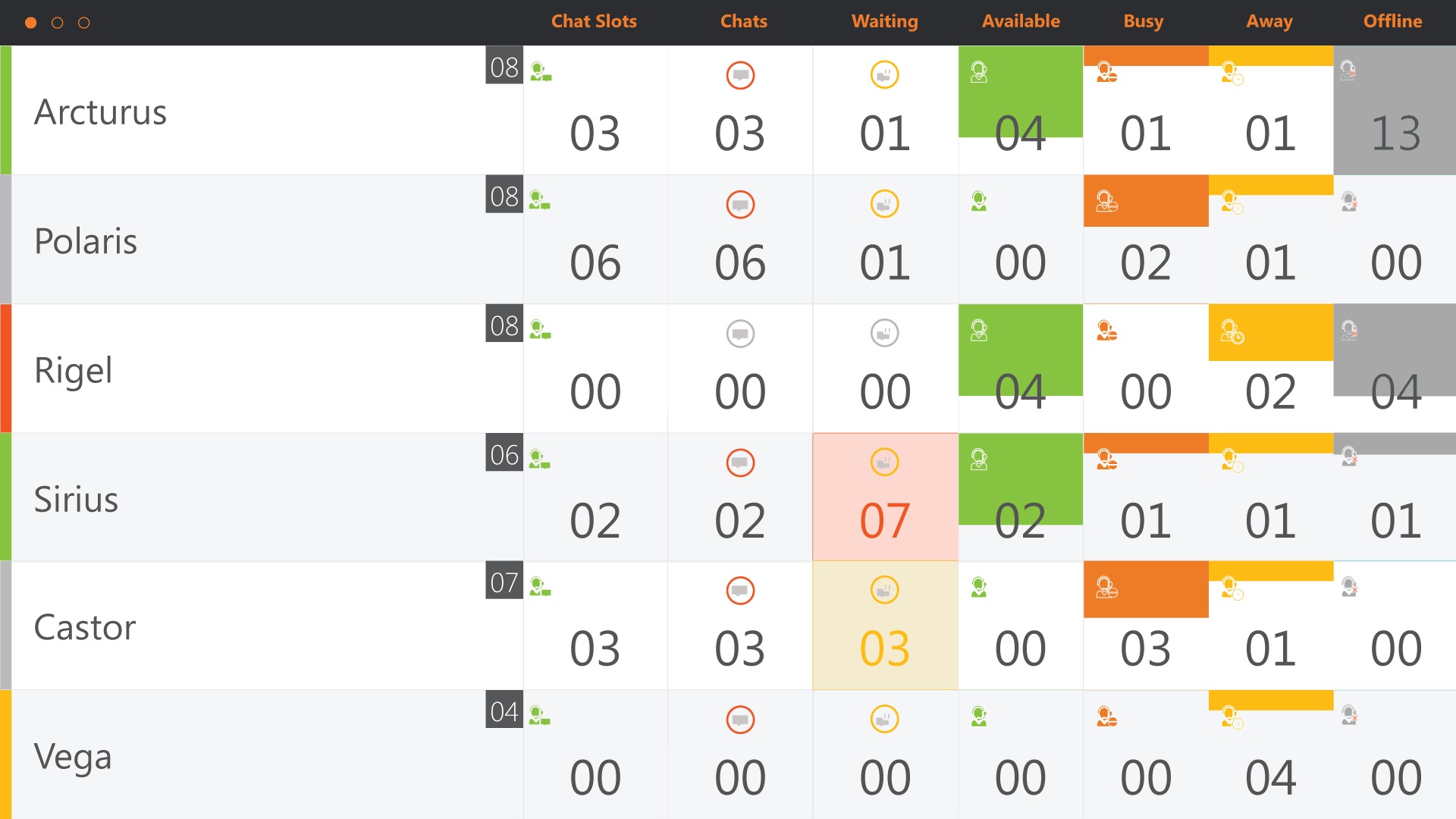
Configure Wallboard View 7 (Multi Chat)
Important
Can only be used in combination with , not WebChat for WebAgent
Introduction
This view is also known as Multi Chat View.
Preview
Prerequisite
-
EnableIDR must be active.
Configure
-
Open the config.xml file, which is located in the “InFlight WallBoard\I01” folder
-
The right value for the
DefaultView= 7 -
Make sure the General Settings are as in the example below
XML<DefaultView value="7" enabled="true"></DefaultView> <!-- 1 Normal, 2 Custom (Grid), 3 Multiple, 4 InboundOnly, 5 StatisticsView, 6 ReasonCodeView -->
-
Enter the A Unified Contact Center, or UCC, is a queue of interactions (voice, email, IM, etc.) that are handled by Agents. Each UCC has its own settings, IVR menus and Agents. Agents can belong to one or several UCCs and can have multiple skills (competencies). A UCC can be visualized as a contact center “micro service”. Customers can utilize one UCC (e.g. a global helpdesk), a few UCC’s (e.g. for each department or regional office) or hundreds of UCC’s (e.g. for each bed at a hospital). They are interconnected and can all be managed from one central location. groups.
Note
The same groups as view 3 are used. Settings like SLA and SkillAvailable are only used in View 3.
XML<uccgroups enabled="true"> <uccgroup name="UCC group 1" SLA1Label="20 sec" SLA2Label="2 min" UCCGroup="75"> <uccs> <ucc SLA1="20" SLA2="120" Skill1Available="60" Skill2Available="60" Skill1Other="10"> <DashboardServer version="1.5" name="ucc_name01" value="http(s)://<FQDN>/DashboardService"></DashboardServer> </ucc> <ucc SLA1="20" SLA2="120" Skill1Available="60" Skill2Available="60" Skill1Other="10"> <DashboardServer version="1.5" name="ucc_name02" value="http(s)://<FQDN>/DashboardService"></DashboardServer> </ucc> </uccs> </uccgroup> <uccgroup name="UCC group 2" SLA1Label="20 sec" SLA2Label="2 min" UCCGroup="75"> <uccs> <ucc SLA1="20" SLA2="120" Skill1Available="60" Skill2Available="60" Skill1Other="10"> <DashboardServer version="1.5" name="ucc_name03" value="http(s)://<FQDN>/DashboardService"></DashboardServer> </ucc> <ucc SLA1="20" SLA2="120" Skill1Available="60" Skill2Available="60" Skill1Other="10"> <DashboardServer version="1.5" name="ucc_name04" value="http(s)://<FQDN>/DashboardService"></DashboardServer> </ucc> </uccs> </uccgroup> </uccgroups>
-
Replace enter correct UCC name and UCC server
-
Save the file
-
Now the Multi Chat View is applied for the Wallboard.