Microsoft Power Automate as alternative for AnywhereNow Library Retention Policy
Time to execute, approx: 5 minutes
Microsoft Power Automate can be used to manage the retention limits of older files in your A Unified Contact Center, or UCC, is a queue of interactions (voice, email, IM, etc.) that are handled by Agents. Each UCC has its own settings, IVR menus and Agents. Agents can belong to one or several UCCs and can have multiple skills (competencies). A UCC can be visualized as a contact center “micro service”. Customers can utilize one UCC (e.g. a global helpdesk), a few UCC’s (e.g. for each department or regional office) or hundreds of UCC’s (e.g. for each bed at a hospital). They are interconnected and can all be managed from one central location. libraries. As a replacement for AnywhereNow’s Legacy Retention Policy menu to clean up old files, Power Automate is capable to do the exact same thing and more. It can, for example, be tailored to suit your more specific needs (copy or send files, move to archive or Blob storage) to deliver the best possible solution to your company or customers.
Introduction
This example Power Automate will delete files from the Recordings library (not folders and subfolders) if they are older than 30 days.
Summary
Creating this Power Automate is a three step process
Step 1: Create a trigger for when or how often you want the Power Automate to run
1. Navigate to Microsoft Power Automate.
2. In the Power Automate menu, create a new flow: (navigate to https://make.powerautomate.com/ )
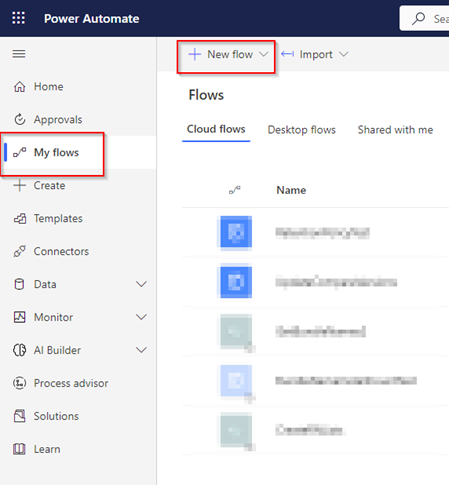
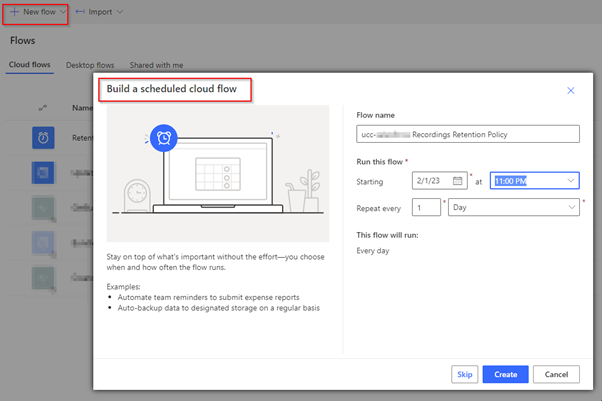
3. For a Retention Policy, which is time/date/scheduled based, we suggest “Build a Scheduled flow” and enter the below details:
-
Flow name: we suggest the ucc name and library affected
-
Run this flow: This menu is dynamic but for a Retention policy 1 time per day is customary.
Tip
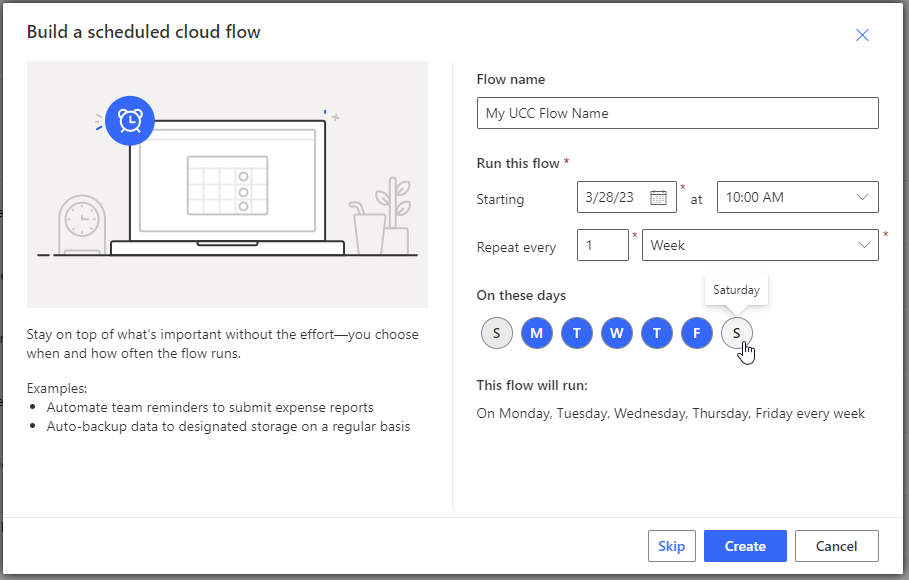
If you select Repeat every x "Week" the GUI allows you to select which day(s) of the week you want this flow to run (to exclude weekends for example)
-
Click Create.
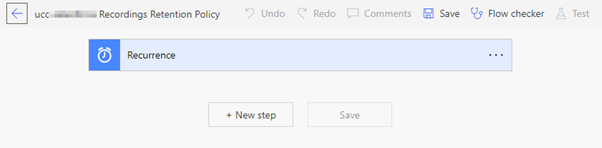
4. You first Power Automate step should be visible
Tip
By clicking the 3 dots you can Rename the step to give it a more logical name. (Or Add a note for more clarity to other admins of this Power Automate.)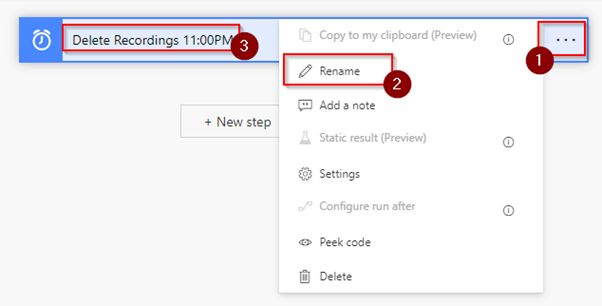
Step 2: Get files (properties only) from specific SharePoint library
1. Click + New Step and choose the Get files (properties only) action.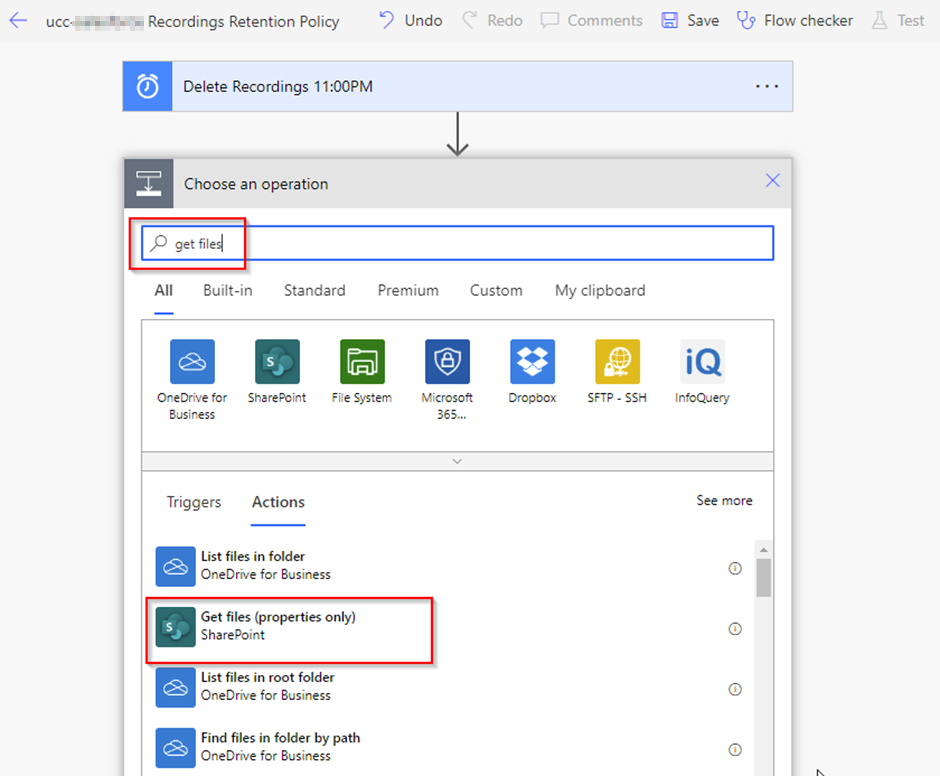
2. In the Get files (properties only) action screen fill in the below fields:
-
Site Address: select the SharePoint site address in which the library can be found
-
Library Name: Recordings (of course other libraries like Voicemail or your custom libraries are possible too)
-
Filter Query: Enter the following query (of course alternatives are possible, many examples can be found online):
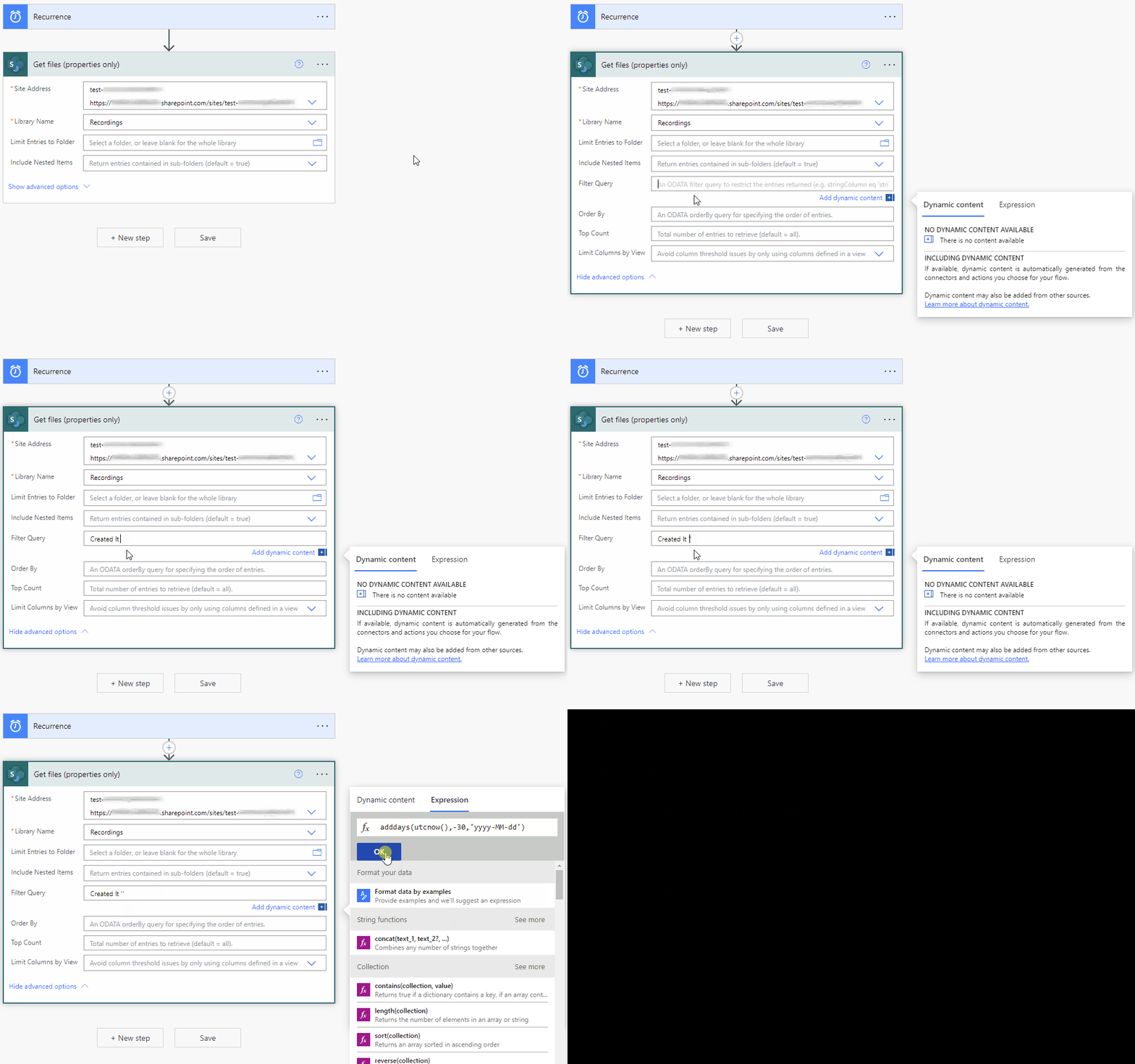
[click to view GIF]-
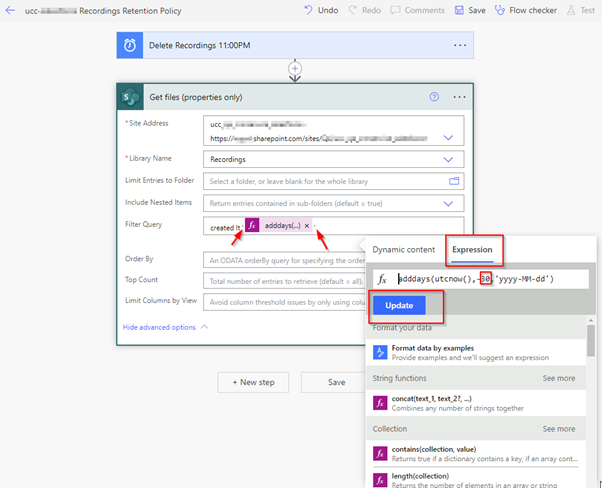
Enter the Filter Query with an embedded Expression like below (note: the value -30 is the amount of days counting back from now)
-
Easy copy, part 1
Filter QueryCreated lt ''
-
Easy copy, part 2
Expressionadddays(utcnow(),-30,'yyyy-MM-dd')
-
Note
Don’t forget to put the Expression in between single apostrophes of the Filter Query!
-
Click on OK (or Update in case of an update)
3. Click on Save and your next step is saved
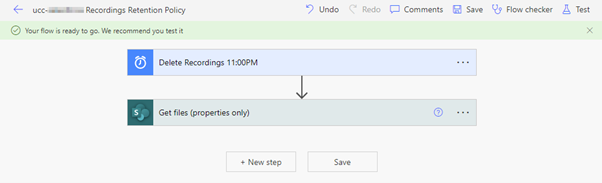
Step 3: Delete each file found in the Power Automate query above
1. Click on + New step and search for the Delete file (SharePoint) action:
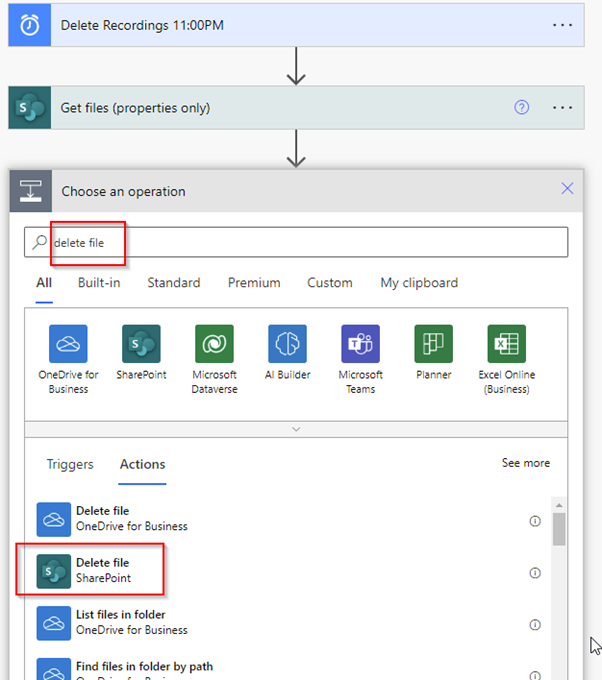
2. In the Delete file action enter the following values:
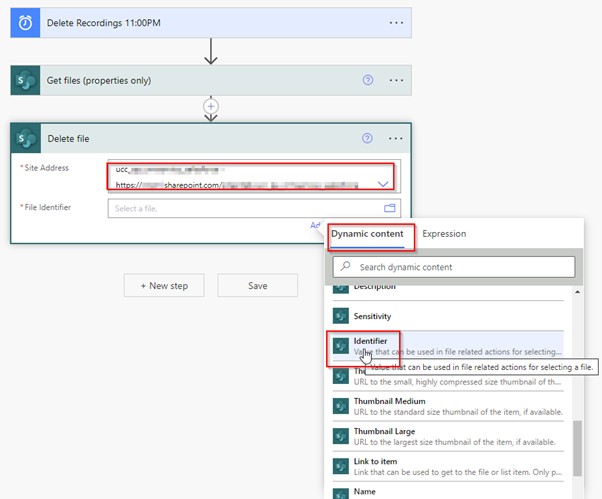
-
Site Address: select the library on which you want to perform the delete action
-
File Identifier: From the Dynamic Content list select the Identifier parameter.
3. Once Identifier has been selected the Power Automate will immediately convert this step to an Apply to each loop/action, as multiple results may/will be found. The action Delete file will be executed on each one of them.
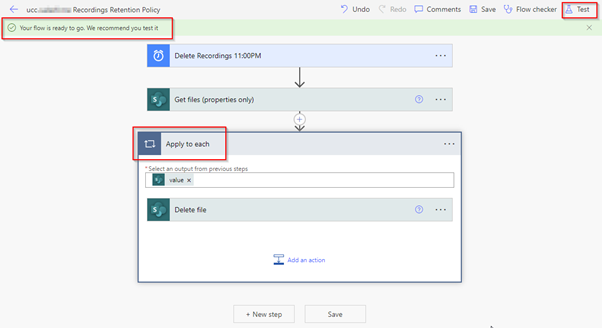
-
As recommended by the flow please test the Power Automate with the Test button.
Note
As this is a SharePoint Delete file action the deleted file will end up in the SharePoint Site’s Recycle bin which makes testing this action safe. Files in the Recycle Bin can be recovered, permanently deleted, or if left alone will eventually adhere to your SharePoint's recycle bin retention policies before being permanently deleted.
Tip
Step 3 alternative: It is possible, for example, before the delete files action to include a Copy Files to Blob Storage step (Learn more - Microsoft) if you need to maintain recordings over a longer period but would like or need to store them in the lower cost (but slower to access) Azure Blob Storage (Hot or Cool tier), or the even the lowest cost Azure Blob Archive tier.
For more information on Hot, Cool or Archive tiers see Microsoft - access-tiers-overview
Frequently asked Questions
-
The SharePoint connector is part of the Standard Tier, as such it is most-likely included in your Microsoft 365 subscription
(source: https://learn.microsoft.com/en-us/power-platform/admin/power-automate-licensing/types#standard-connectors). -
Microsoft 365 plans including Power Automate capabilities can be found on:
https://learn.microsoft.com/en-us/power-platform/admin/power-automate-licensing/faqs#what-power-automate-capabilities-are-included-in-office-365-licenses