Trainer Trainee
Note
Only available on-premises and When using AnywhereNow in combination with Federation you can add agents working with a Skype for Business or Teams account to your UCC. and using Skype-for-Business client only.
Introduction
Trainer or Trainee rights can be added to Agents. In this way a Trainer can invite his/her Trainee to listen along in a active conversation. The Trainer Trainee functionality of AnywhereNow might be useful to train new co-workers. With two simple commands the Trainer is able to invite his Trainee to an active conversation.
In order to assign Trainer or Trainee rights to an Agent of the A Unified Contact Center, or UCC, is a queue of interactions (voice, email, IM, etc.) that are handled by Agents. Each UCC has its own settings, IVR menus and Agents. Agents can belong to one or several UCCs and can have multiple skills (competencies). A UCC can be visualized as a contact center “micro service”. Customers can utilize one UCC (e.g. a global helpdesk), a few UCC’s (e.g. for each department or regional office) or hundreds of UCC’s (e.g. for each bed at a hospital). They are interconnected and can all be managed from one central location., the Agents should first be added in the Trainer Trainee list.
Explanation per field
In order to manage Trainer or Trainee, the following screen should be filled in:
| Items | Description |
|---|---|
| Trainer |
Person with the rights to invite the Agent - Trainee using the ‘Train’ command |
| Trainee |
Person who gets invited by the Trainer during an active call Note Trainer and Trainee must use Skype for Business client and both setup as Agent (Trainee could technically be set up as PSTN Agent). |
Add Trainee to (established) call with customer
Train
-
The Trainer selects the respective UCC. (During an active conversation)

-
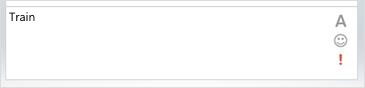
The Trainer types the “Train” chat-command in the IM window.
-
If there are available Trainees, the Trainer will see an ordered list with all Trainees.
-
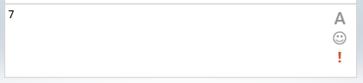
The Trainer types the number of Trainee he/she wants to add.
-
The Trainee will then receive a Call on his/her client.
-
The Trainee is now successfully listening (one-way-audio) to the call, until the UCC call is terminated or he/she exits the call early.
Create/Edit/Remove item
Item can be created, edited or removed.
Warning
Updates to the system take place in real-time. Entering the incorrect information here may cause issues with your software. Proceed with caution.
Create Item
- Open the list.
- Select the Add new item button.
- Enter the correct data in the window that appears.
- Select the Save button.
Edit Item
- Open the list.
- Tick the respective item.
- Select the “Edit Properties” button.
- Enter the correct data in the window that appears.
- Select the “Save” button.
Remove Item
- Open the list.
- Tick the respective item
- Select the “Delete Item” button.