Supervisor Role
Introduction
Important
As of A bundle is a fixed combination of our software platform elements of very specific versions. These are designed and tested to optimally work together to assure their intended function and interoperability. DC2024.01 whenever a supervisor joins or leaves an ongoing call a discrete audio tone will be played to the Agent to alert them of the change in presence of a supervisor.
A Supervisor can monitor or join an active audio conversation. The available supervisor actions depend on the client platform and bundle version. The Supervisor functionality of AnywhereNow might be useful to train new co-workers, review conversations, or provide support during audio calls.
Note
Supervisor action availability in WebAgent depends on the bundle version:
Read more
-
Before DC2023.03, only Listen is available, and only for inbound A Unified Contact Center, or UCC, is a queue of interactions (voice, email, IM, etc.) that are handled by Agents. Each UCC has its own settings, IVR menus and Agents. Agents can belong to one or several UCCs and can have multiple skills (competencies). A UCC can be visualized as a contact center “micro service”. Customers can utilize one UCC (e.g. a global helpdesk), a few UCC’s (e.g. for each department or regional office) or hundreds of UCC’s (e.g. for each bed at a hospital). They are interconnected and can all be managed from one central location. audio calls to an agent.
-
From DC2023.03, Whisper, Talk, and TakeOver are also available, but only for inbound UCC audio calls to an agent.
-
From DC2025.01, in WebAgent, all supervisor actions (Listen, Whisper, Talk, and TakeOver) are also available on outbound calls-in-progress by an agent.
In order to provide a user the UCC Supervisor rights, its In Windows Active Directory, a User Principal Name (UPN) is the name of a system user in an email address 'like' format. A UPN (for example: john.doe@domain.com) consists of the user name (logon name), separator (the @ symbol), and domain name (UPN suffix). address and Phone URI should be added to the Supervisor list.
Depending on the client platform used, Supervisor can join audio calls using:
-
Chat commands (only works for Skype for Business client)
or
-
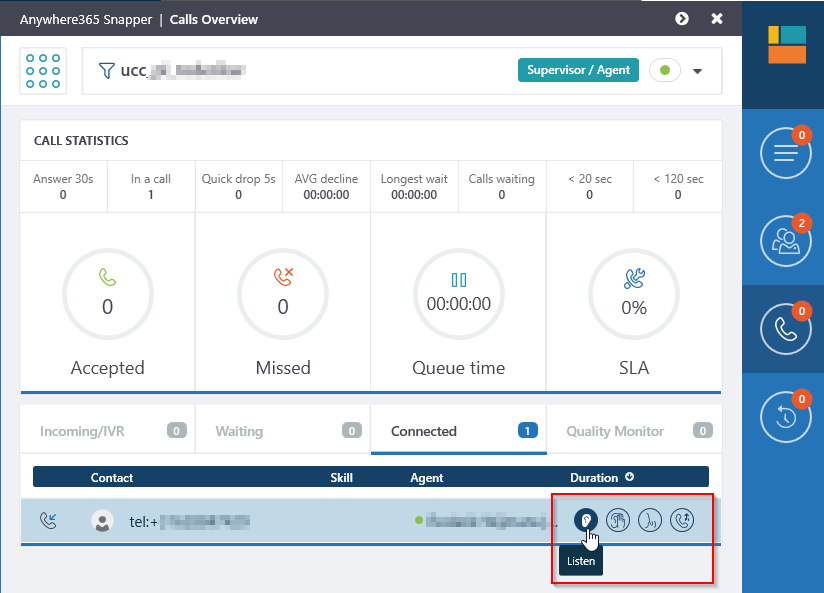
Snapper application, see: Snapper for Skype for Business User Guide
-
WebAgent application, see: WebAgent User Guide for Supervisor
Introduced in DC2023.02
Note
Before DC2025.01, supervisors can use WebAgent only on inbound audio dialogues between customers and agents. From DC2025.01, WebAgent also supports supervisor actions on outbound calls handled by an agent.
Dialogues in Delight Consult, Consult, or already being supervised by another supervisor cannot be joined.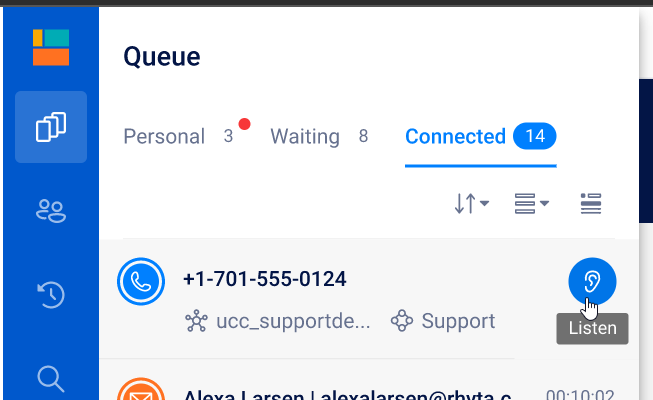
For more information on supervisor scenarios, see: Getting started as Supervisor
Explanation per field
In order to manage Supervisors, the following screen should be filled in:
| Item | Description |
|---|---|
| Supervisor | This field represents the UPN address of the Supervisor, for example: sip:user@domain.com Note Make sure there are no spaces behind the address. |
| PhoneURI | This field represents the Phone URI of the Supervisor, for example: tel:+31612345678 Note The value must be in The E.164 phone number format is an international (ITU) standard for dialing telephone numbers on the Public Switched Telephony Network (PSTN). Loosely formulated, only "+" and upto 15 digits (0-9) are allowed For example: +4433221100 (For number notation/display and storage see the E.123 standard) format. |
| UPN |
Population syntax of the UPN field depends on the Bundle level being used.
If Bundle is lower than DC2023.04e: UPN must be empty or look-alike of the Supervisor field (i.e. the sip address without the "sip:" prefix, which is technically not the Formerly known as Azure Active Directory (or Azure AD, or AAD) UPN). If Bundle is equals to or higher than DC2023.04e: The UPN of a Supervisor can now have a different syntax as the sip address and recognition of the supervisor will be recognized correctly (i.e. the true Microsoft Formerly known as Azure Active Directory (or Azure AD, or AAD) UPN of the supervisor). |
Supervisor mode audio paths
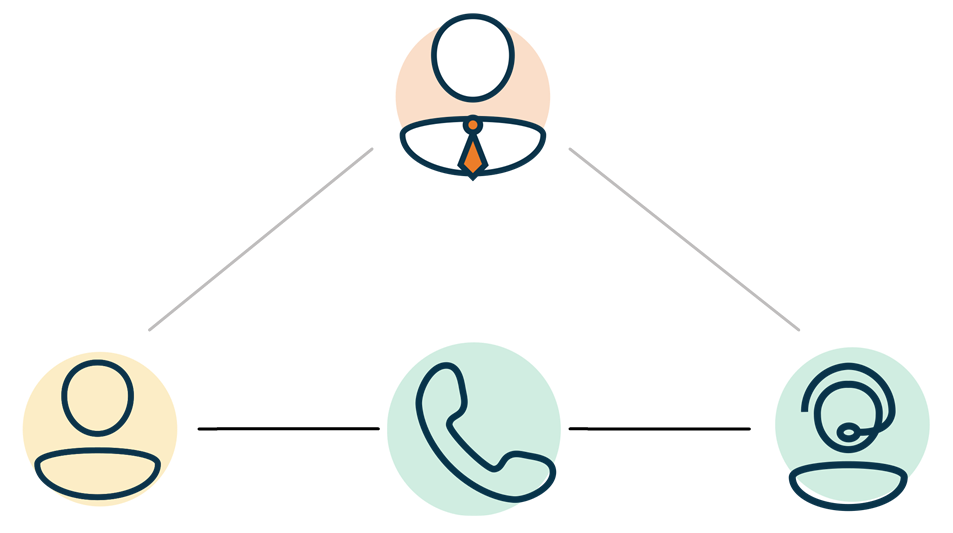
Below the scenario for a Supervisor is presented.
Scenario: Supervisor joins to the Call
Supervisor can join a call in Listen, Whisper, Talk or TakeOver mode.
Listen
- Two-way audio between Agent and Customer
- One-way audio from Agent to Supervisor
- One-way audio from Customer to Supervisor
Whisper
- Two-way audio between Agent and Customer
- Two-way audio between Agent and Supervisor
- One-way audio from Customer to Supervisor
Talk
- Two-way audio between Agent and Customer
- Two-way audio between Agent and Supervisor
- Two-way audio between Customer and Supervisor
TakeOver
- One-way audio from Customer to Agent
- One-way audio from Supervisor to Agent
- Two-way audio between Customer and Supervisor
Skype for Business - Supervisor Functionality
Deactivate Formal Agents
Formal
-
The Supervisor selects the respective UCC.

-
The Supervisor types the “Formal” command in the IM window.
-
If there are active A Formal Agent is able to sign in and sign out of the UCC. This can be achieved when the Agent sends a start or stop command to the Skype for Business client of the UCC., the Supervisor will see an ordered list with all active formal agents.
-
The Supervisor types the number of the agent.

-
The Supervisor has made the formal agent inactive.
Listen to a Call
Note
For using the controls in the Snapper, see: Snapper for Skype for Business User Guide
Listen
-
The Supervisor selects the respective UCC.
-
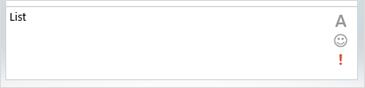
The Supervisor types the “List” command in the IM window.
-
If there are active calls, the Supervisor will see an ordered list with all active calls.
-
The Supervisor types the number of the call he/she wants to hear.
-
The Supervisor is now successfully listening to the call, until it will be ended or exits the UCC.
During the listen in.
Note
For using the controls in the Snapper, see: Snapper for Skype for Business User Guide
Whisper
-
When the Supervisor needs to support the Agent, he/she can give them feedback.
-
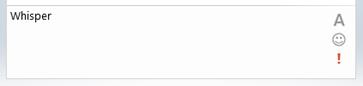
The Supervisor types the commando “Whisper” in the IM window.
-
The Agent can now hear the Supervisor, the Customer can only hear the Agent.

Talk
-
When the Supervisor want to join in on the conversation.
-
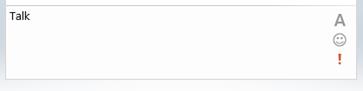
The Supervisor types the commando “Talk” in the IM window.
-
Both the Agent and the Customer can hear the Supervisor.

Takeover
-
When the Supervisor needs to intervene during a conversation.
-
The Supervisor types the commando “Takeover” in the IM window.

-
The Customer can hear the Supervisor, the Agent will be muted.

Listen
-
When the Supervisor has taken over the conversation, it can also be given back.
-
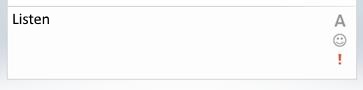
The Supervisor types the commando “Listen” in the IM window.
-
The Agent will now be un-muted.
Manage Dialer
Campaign Dialer
StartDialer (Campaign Dialer)
-
The Supervisor selects the respective UCC.
-
The Supervisor types the “StartDialer” command in the IM window.
-
This will start the Campaign Dialer (if all qualifications are met)
StopDialer (Campaign Dialer)
-
The Supervisor selects the respective UCC.
-
The Supervisor types the “StopDialer” command in the IM window.
-
This will stop dialing new calls for the Campaign Dialer, active calls will continue
StatusDialer
-
The Supervisor selects the respective UCC.
-
The Supervisor types the “StatusDialer” command in the IM window.
-
This will shows the current status of the Campaign Dialer (if it is started or not and if qualifications are met)
Autonomous Dialer
startautodialer or startautonomousdialer
-
The Supervisor selects the respective UCC.
-
The Supervisor types the “startautodialer ” command in the IM window.
-
This will start the Autonomous Dialer (if all qualifications are met)
stopautodialer or stopautonomousdialer
-
The Supervisor selects the respective UCC.
-
The Supervisor types the “stopautodialer” command in the IM window.
-
This will stop dialing new calls for the Autonomous Dialer, active calls will continue
statusautodialer or statusautonoumousdialer
-
The Supervisor selects the respective UCC.
-
The Supervisor types the “StartDialer” command in the IM window.
-
This will shows the current status of the Autonomous Dialer (if it is started or not and if qualifications are met)
Create/Edit/Remove item
Item can be created, edited or removed.
Warning
Updates to the system take place in real-time. Entering the incorrect information here may cause issues with your software. Proceed with caution.
Create Item
- Open the list.
- Select the Add new item button.
- Enter the correct data in the window that appears.
- Select the Save button.
Edit Item
- Open the list.
- Tick the respective item.
- Select the “Edit Properties” button.
- Enter the correct data in the window that appears.
- Select the “Save” button.
Remove Item
- Open the list.
- Tick the respective item
- Select the “Delete Item” button.