Setup Firewall for Interceptor
In some occasions it's necessary to configure the Windows Firewall on the AnywhereNow server in order to make the A Unified Contact Center, or UCC, is a queue of interactions (voice, email, IM, etc.) that are handled by Agents. Each UCC has its own settings, IVR menus and Agents. Agents can belong to one or several UCCs and can have multiple skills (competencies). A UCC can be visualized as a contact center “micro service”. Customers can utilize one UCC (e.g. a global helpdesk), a few UCC’s (e.g. for each department or regional office) or hundreds of UCC’s (e.g. for each bed at a hospital). They are interconnected and can all be managed from one central location. communicate with the The Interceptor is a service installed on AnywhereNow. It monitors all calls during set-up on endpoints of active Agents. By intercepting that call set-up and redirecting it to an UCC it lets you manage the direct inbound and outbound dialogues of the contact center agents..
To do this, follow these simple steps.
-
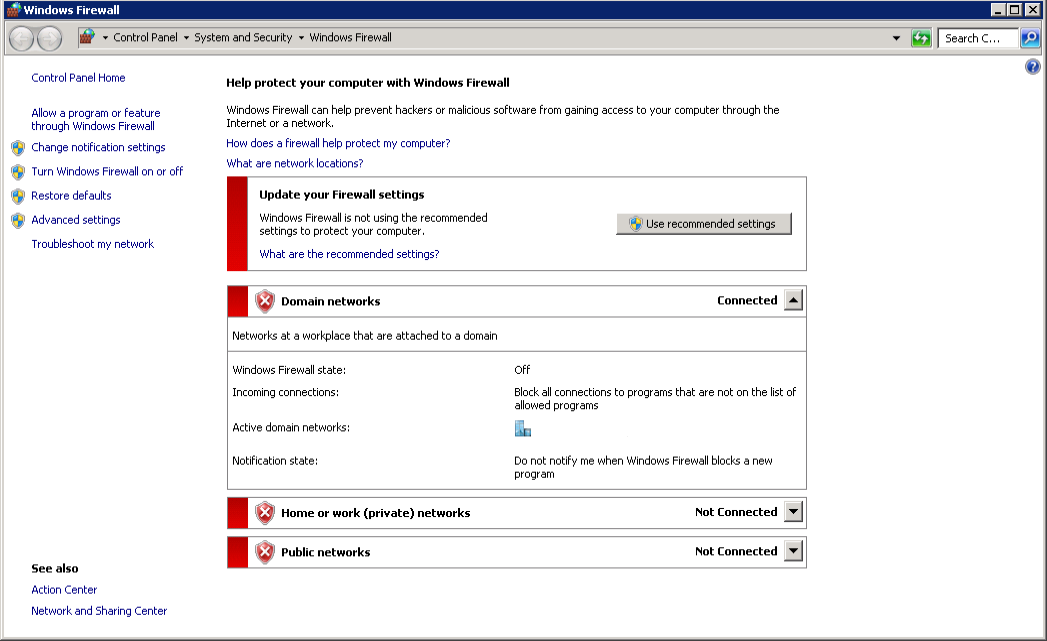
Go to Windows Firewall (Control Panel\System and Security\Windows Firewall)
-
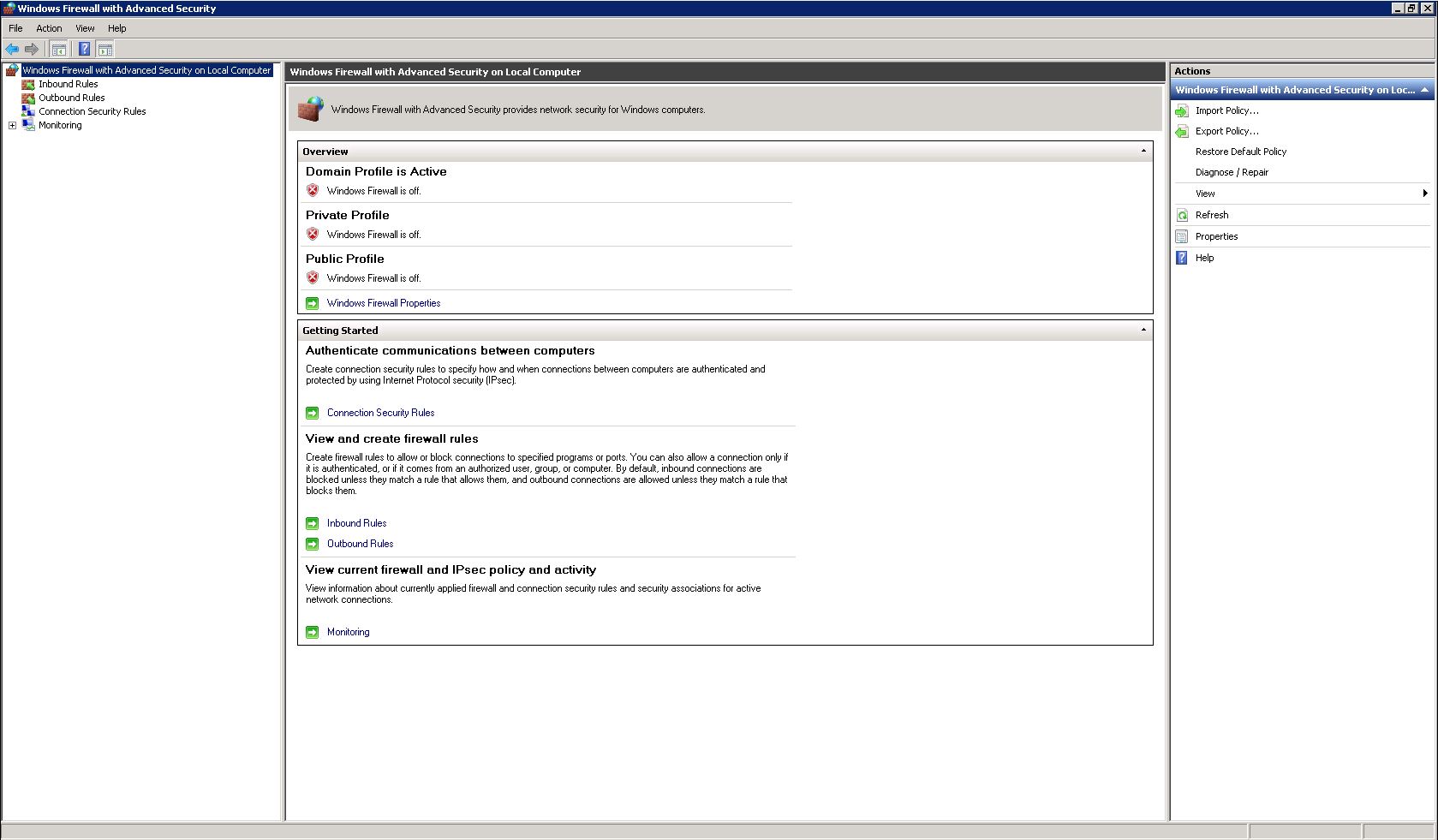
Click on Advanced Settings
-
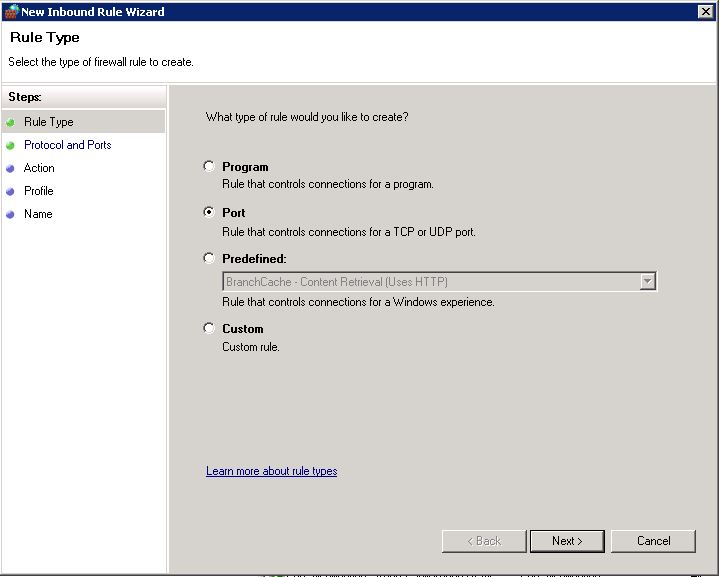
Click on Inbound Rules and then New Rule. Then Hit Port and Next.
-
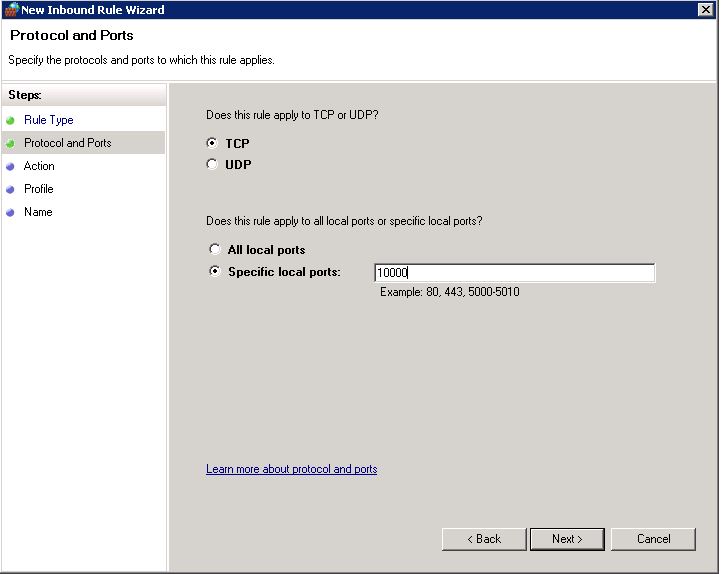
Select TCP and Specific local ports. Typ in "10000".
-
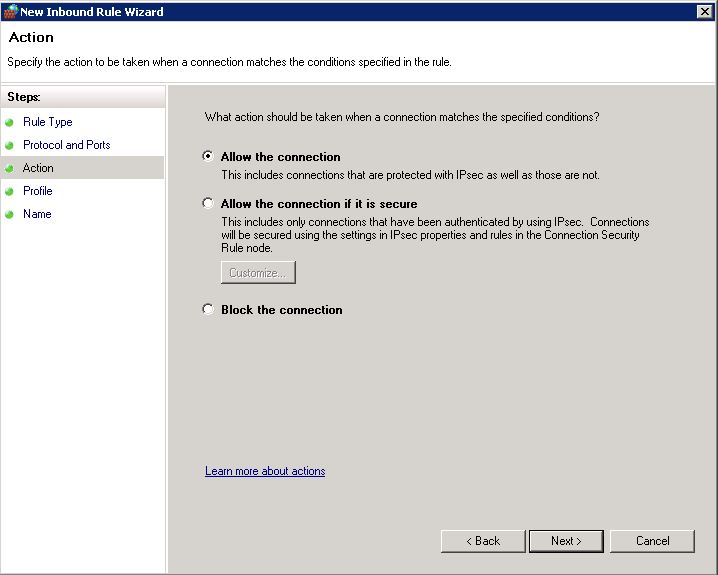
Select Allow the connection and hit Next
-
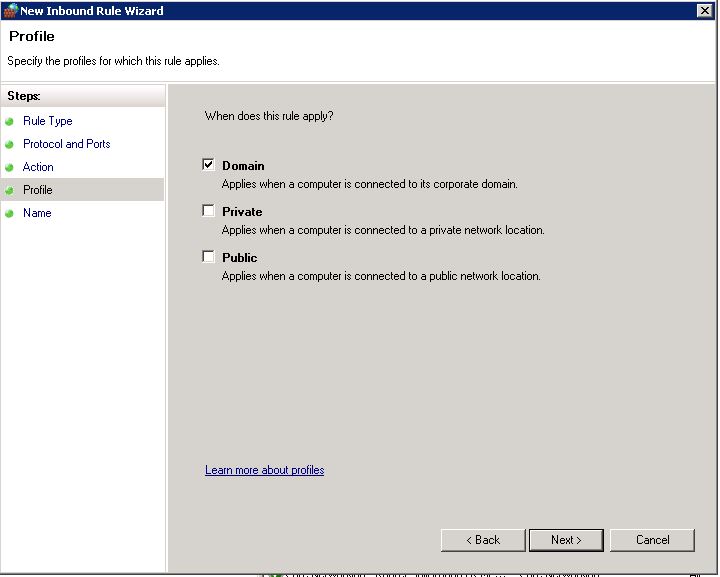
Now select only Domain
-
Finally Choose a name and optional description for this port and click Finish
-
Repeat the steps from step 3, only then selecting Outbound Rules
-
The Interceptor should now work properly.