Setup Monitoring for Interceptor
AnywhereNow's The Interceptor is a service installed on AnywhereNow. It monitors all calls during set-up on endpoints of active Agents. By intercepting that call set-up and redirecting it to an UCC it lets you manage the direct inbound and outbound dialogues of the contact center agents. offers KPI's to support monitoring, for example in PerfMon, SCOM, Solarwinds or other monitoring tools.
Available KPI's
|
Kpi |
Description |
|---|---|
| Heartbeat |
The Heartbeat of the A Unified Contact Center, or UCC, is a queue of interactions (voice, email, IM, etc.) that are handled by Agents. Each UCC has its own settings, IVR menus and Agents. Agents can belong to one or several UCCs and can have multiple skills (competencies). A UCC can be visualized as a contact center “micro service”. Customers can utilize one UCC (e.g. a global helpdesk), a few UCC’s (e.g. for each department or regional office) or hundreds of UCC’s (e.g. for each bed at a hospital). They are interconnected and can all be managed from one central location.. It send 1 every second the UCC is Online and 0 when the UCC is Offline |
| Total Connections Active |
The number of connections that are configured in the Interceptor and that are currently are active. |
| Total Connections Configured |
The number of connections that are configured in the Interceptor. |
| Total Uccs |
The number of UCC's connected to the Interceptor |
Viewing KPI's using Performance Monitor
-
Connect to the Skype for Business Front End server where the AnywhereNow Interceptor is installed.
-
Start "Performance Monitoring".

-
Select Add or press Ctrl+N

-
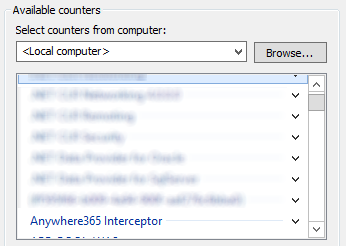
Search for "Anywhere365 Interceptor"
-
Expand to select a counter or "Anywhere365 Interceptor" for all counters
-
Select "Add>>"